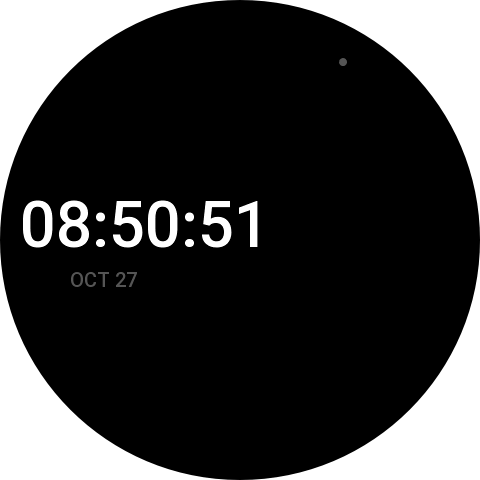
I have an Amazfit T-Rex 2 on my wrist most days, and a Balance 2 for when I’m pretending to be civilized. Both run Zepp OS. Both came with plenty of watch faces. None of them were quite what I wanted.
Zepp has tools for making faces, but I wanted something that worked the way I think. Drag things around on a round screen. See what it will look like. Press a button and get something I can put on the watch.
Read more: Building My Own Watch Face EditorSo I had one built. Claude Code did the building. I did the asking, the testing, and a fair amount of squinting at my wrist.
You can try it here: robertjwallace.com/amazfit-faces
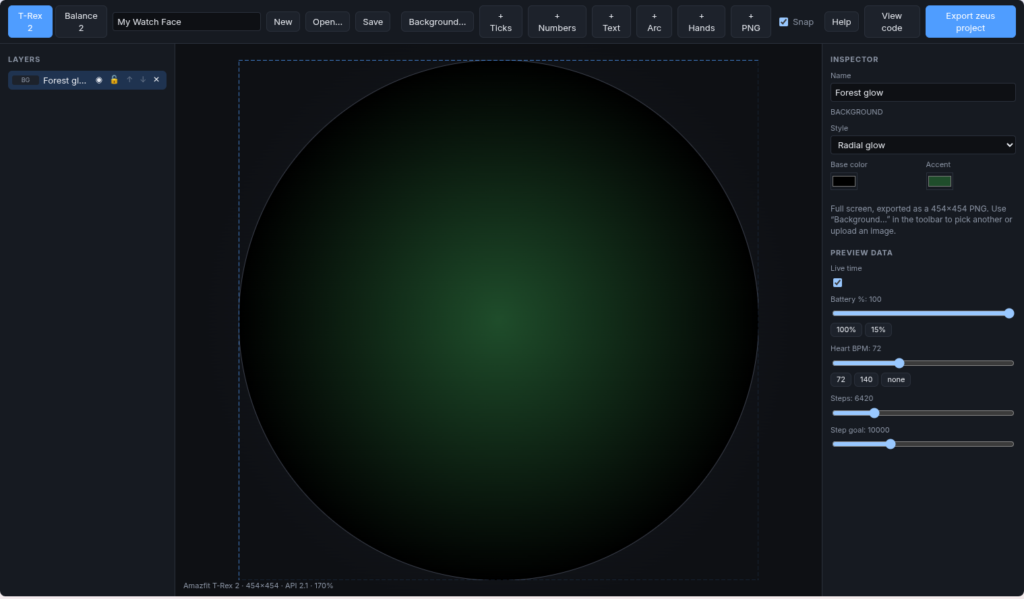
[Screenshot: the editor with a T-Rex 2 face open]
Starting With a Folder and a Wish List
The project started as an empty folder with a single file in it: a CLAUDE.md describing what I wanted. Two watches, a 454 pixel round screen and a 480 pixel round screen. A canvas you can drag things around on. Layers. A preview that shows what the battery looks like at 15% and what my heart rate looks like at 140, which is roughly what it looks like when I read my credit card statement.
Claude asked a handful of questions. The one that mattered was which Zepp OS version my watch runs. I didn’t know, so it told me where to look. The settings menu said 2.1. For everything else I said “go with your defaults.”
It picked the tools, laid out the project, and built a working editor in a browser. React, a canvas library, a little state store. It runs entirely on your own computer and nothing gets sent anywhere. It also built the exporter, the piece that turns a design into a project Zepp’s command line tool, zeus, can install on a watch. And it wrote tests for all of it.
The Face Was Blank
The first export built cleanly. Zeus was happy. I scanned the QR code with the Zepp app, tapped install, and nothing happened. No message, no error, nothing.
Except the face was on the watch. It was in the list of faces. It was just black.
I told Claude, and it went digging. There turned out to be three separate problems stacked on top of each other, like old cars in a barn, and Claude found every one of them.
The first was my background image. I’d used an 808 pixel PNG on a 454 pixel screen. Claude worked out that the watch doesn’t scale images, and that an image bigger than the screen simply doesn’t draw. It shrank my picture, then changed the editor so anything you add is shrunk to fit.
The second was harder to spot. Claude went through Zepp’s documentation and some working watch faces other people had published, and noticed that every widget on a watch face needs a property called show_level. Leave it out and the widget just doesn’t appear. No warning. The exporter had left it out everywhere.
Still black.
So Claude suggested zeus’s “bridge” mode, which connects straight to the watch through the phone and shows you what the watch is complaining about. It walked me through setting it up. I pasted the output back. The watch was saying that hmSensor didn’t exist.
Claude recognized it right away. The code was written for Zepp’s original API, and the T-Rex 2 runs the newer one, which uses different imports and different sensor calls. It rewrote the exporter for the newer API, added the permissions the watch wants before it’ll hand over step counts and heart rate, and patched my project so I didn’t have to export again.
I installed it.
It worked.
Getting an app to build is not the same as getting it to run. I knew that already. Watching Claude track down three invisible problems in a row was a good refresher.
Then It Got Fun
Once a face actually showed up on my wrist, the requests came easier.
How do I change the text color? How do I show steps and heart rate? What’s the “arc”? Claude explained each one. The arc is a progress ring, the kind you see for step goals.
Then I asked for analog hands. Claude built hour, minute and second hands, each with its own length, width, color and shape. It used the watch’s built-in widget for clock hands, so the watch turns them itself and the face doesn’t have to wake up every second to redraw. The hands in the preview are drawn by the same code that makes the images for the watch, so they match.
[Screenshot: analog hands with the inspector open]
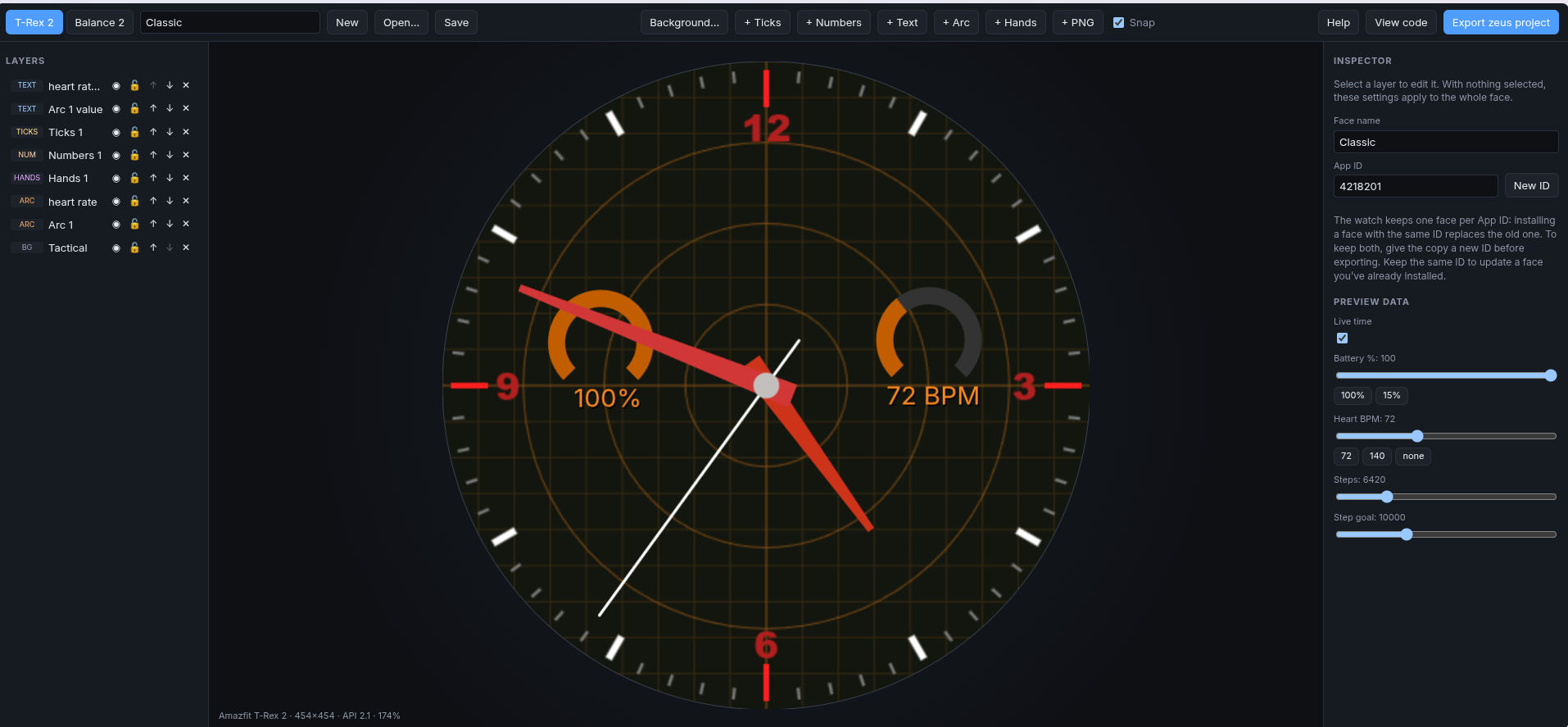
Next I asked how you’d put hour numbers on the dial. Would I use a PNG? Claude said yes, then proposed something better than what I’d asked for. The editor draws the numbers and turns them into a PNG when you export. Pick any font on the computer, Arabic or Roman, all twelve or just the quarters. The watch never knows it wasn’t hand made.
I wanted tick marks in different styles and told Claude to use its own judgment. It came back with bars, rounded bars, double bars, triangles, diamonds, dots and rings. Quarter hours, other hours and minutes each get their own style. There’s a neat trick in there too. Turn off a group and those marks fall back to the next one down, so turning off the minute ticks leaves you with just twelve.
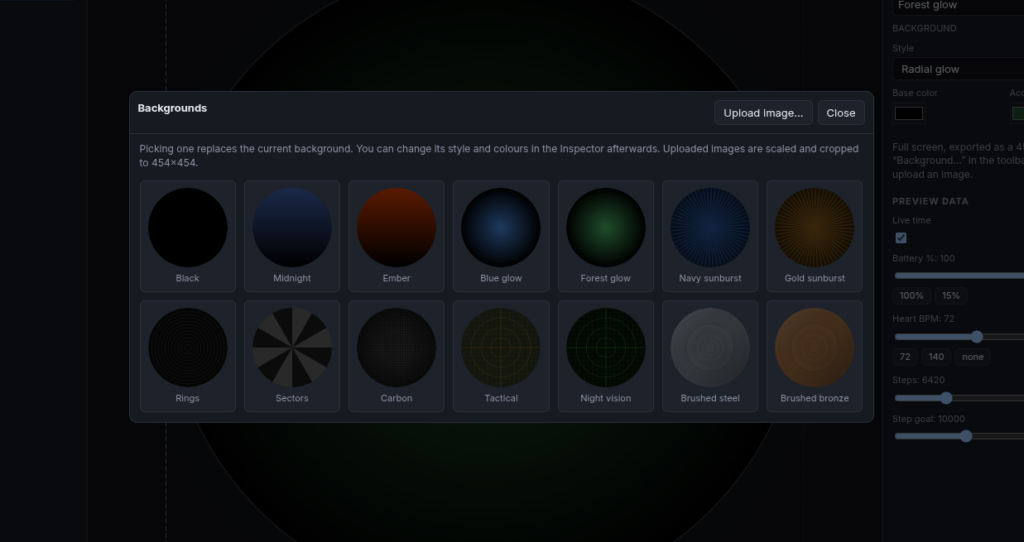
I wanted a library of backgrounds. Claude drew them all in code, so there are no image files to download. There’s sunburst, carbon fiber, brushed metal, rings, a tactical grid that suits the T-Rex nicely, and a few gradients. Or upload your own picture and it gets cropped to fit.
Little Things
Some of the requests were small, but Claude kept finding the catch in them.
I asked for drop shadows on the numbers and text. The numbers get a proper soft shadow because they’re an image. Claude pointed out that text drawn by the watch can’t blur, so it gives text a sharp offset copy underneath instead, and the editor tells you so.
I said the font dropdown only showed one font. Claude found the bug, and it also found a bigger problem I hadn’t noticed. Text on the watch is drawn by the watch, so a font that’s only on my computer would never make it across. It checked Zepp’s documentation, found that watch text can use a font file packed in with the face, and built it that way. Numbers can use any installed font. Text gets an uploaded .ttf.
I asked whether the battery and heart rate arcs could show the number too. Now there’s a button on the arc that adds a label, placed in the gap at the bottom of the ring.
Putting It on the Web
Then I wondered if I could put the thing on my site. Claude explained it would be easy, because there’s no server. It’s a folder of files. It also warned me the site had to use HTTPS, or some parts of the editor wouldn’t work.
My web space is mounted on my desktop over sshfs, so Claude built it and copied it up. Then I asked for a script so I wouldn’t have to remember the steps. updatesite.sh installs, runs the tests, builds, and copies the result up. Claude had it check that the share is actually mounted before copying anything, which is the kind of caution I appreciate at my age.
There’s a help page now too. Claude wrote all of it. It covers how to use the editor and, more importantly, how to install Node and zeus, turn on developer mode in the Zepp app (tap the Zepp logo seven times, really), and get a face onto the watch.
The Face That Ate the Other Face
The most recent problem was a good one. I made a second face and installed it, and my first face disappeared.
I described it to Claude. It looked inside the two exported projects and found the answer in about a minute. Both had the same ID number. Every Zepp app has one, and the watch keeps one face per ID. The editor gave a face its ID when it was created, but there was no way to start a new face. So everything I made had the same number, and each new face quietly replaced the last one.
Claude owned that one as its own bug. It added a New button, plus a New ID button for when you want a copy of a face rather than an update. It also showed me how to give my older face a new ID by hand so I could get both back on the watch. And since I’d asked about editing existing faces, the editor now tucks a copy of your design inside every export, so you can open an old face later and pick up where you left off.
Working With Claude
I want to be fair about how this went.
I supplied the watches, the wish list, and a lot of “that’s not what I meant.” I installed every build on a real watch and reported back what happened.
Claude did everything else. The editor, the exporter, the tests, the help page, the website script. When something broke, it did the detective work. It read the documentation, studied other people’s working faces, and worked out what the watch wasn’t telling us. Often it suggested a better version of what I’d asked for.
It was also honest about what it couldn’t check. More than once it told me it hadn’t been able to see the editor in a browser, or that a feature used something it hadn’t confirmed on a real watch. It asked me to try those first and paste back any error. That’s the right way round. The tests can tell you the exported code is what we meant. Only the watch can tell you whether the watch agrees.
Still Ticking
It’s a work in progress. There are things I want to add, like tap zones that open apps and a dimmed always-on version of each face.
But I can sit down, drag some ticks and hands around a round screen, export, and a few minutes later look at my wrist and see something I made.
Old watch faces were painted by hand.
Mine are just a little newer.